
First look into Daytona + TypeScript Integration
Introduction Daytona is a very good and very simple to use open source Development...
Introduction#
Daytona is a very good and very simple to use open source Development environment manager, that can be very useful for building a proper development workflow. It ensures development environments remain consistent and predictable throughout out the dev lifecycle.
How it helped me:#
When I started contributing to open source very seriously past this year and during the Hacktoberfest'24, I noticed that a lot of time and resources is spent during the setup of the projects I want to contribute to. In order to contribute, I first forked the project, cloned it locally open it on vscode, install dependencies and finally run it locally on my system.
This took a lot of my time and resources initially. At that time I did wonder if there could be a way to skip this initial process or do it more quickly.
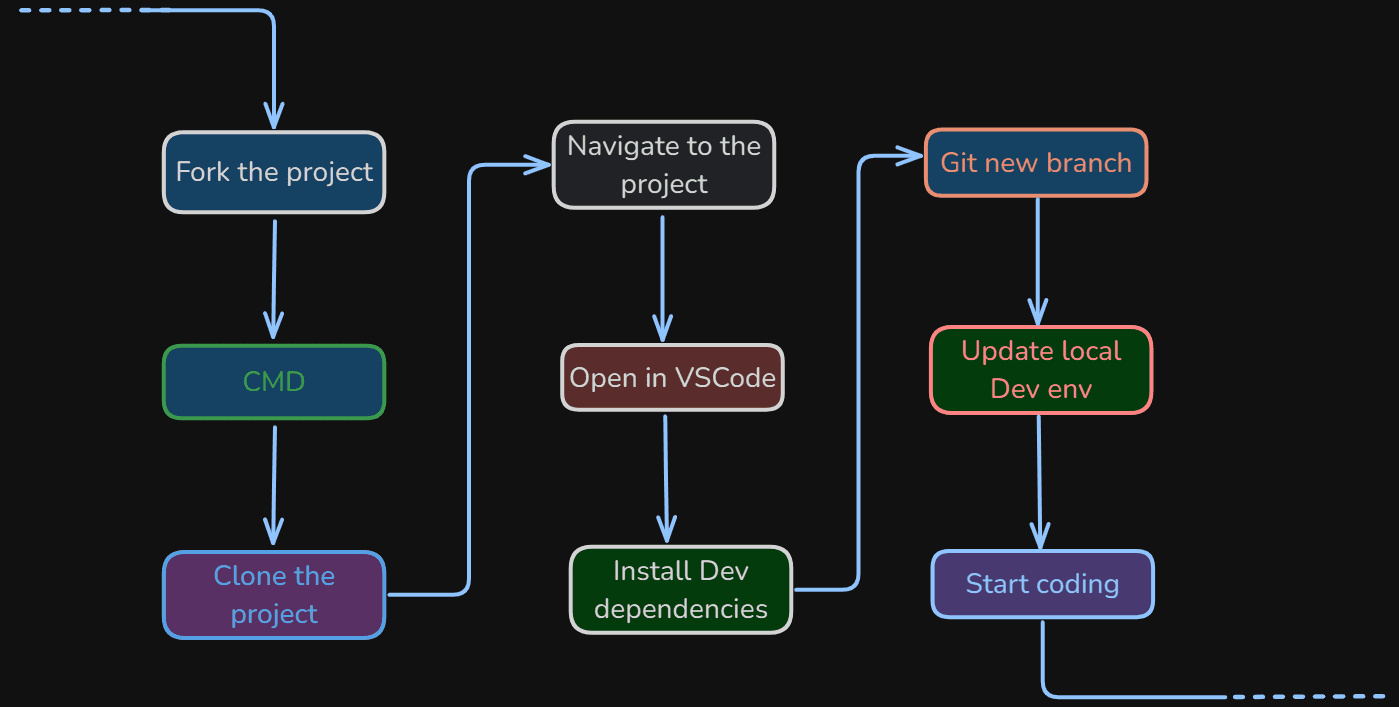
Fortunately I learned about Daytona and its capabilities to quickly get started with coding, and skipping all those tedious tasks for Development environment setup.
I used Daytona for my relay-chat-backend, a WebSocket chat application written in Typescript/NodeJS setup. The experience was very good, every step was smooth run and properly executed. Encountered no problems.
Here's why you should also use Daytona:#
- Works with every version control
|
- Works with Any IDE of your choice
|
- Works anywhere with these integrations
|
Advantages:#
The best thing I experienced about Daytona is that you get a very cool & interactive CLI with commands to easily get started with the development environment.
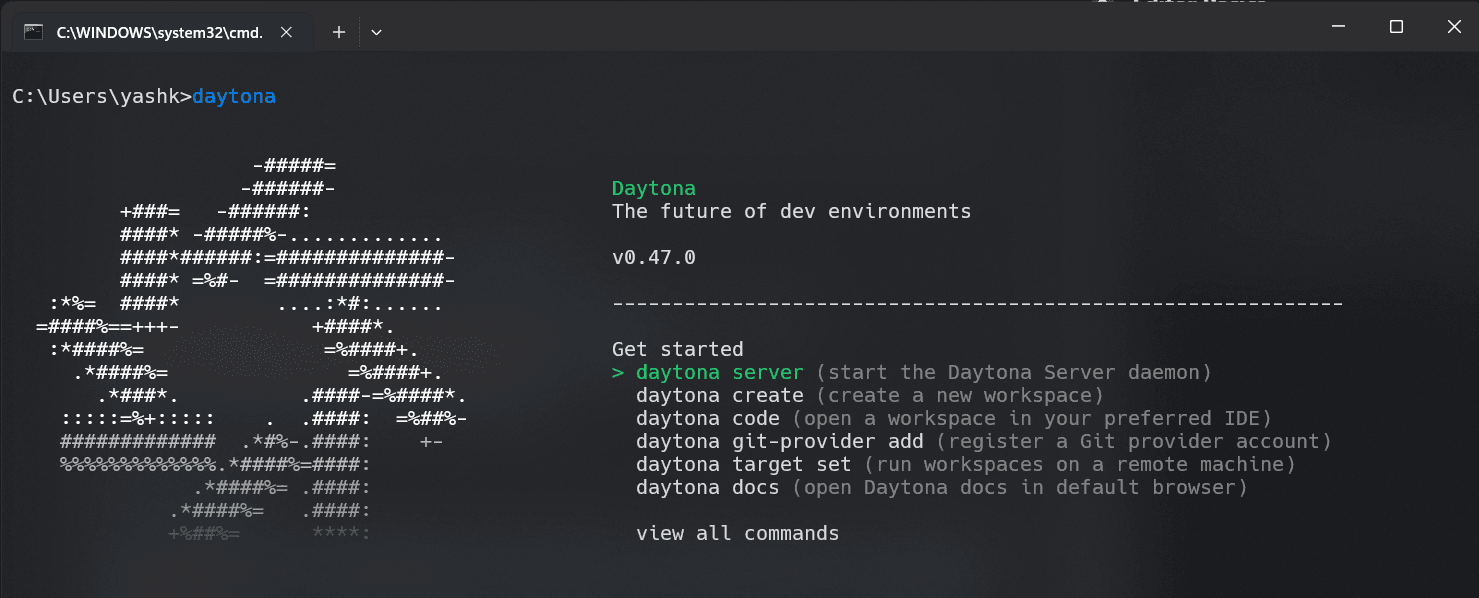
The entire environment is created by using a simple command:-
daytona create <REPO URL>
Getting Started#
-
Install Daytona using their Installation guide.
-
I used Daytona on Windows so you will need to install it using a powershell script. Here's the script code,
$architecture = if ($env:PROCESSOR_ARCHITECTURE -eq "AMD64") { "amd64" } else { "arm64" }
md -Force "$Env:APPDATA\bin\daytona"; [System.Net.ServicePointManager]::SecurityProtocol = [System.Net.SecurityProtocolType]'Tls,Tls11,Tls12';
Invoke-WebRequest -URI "https://download.daytona.io/daytona/v0.47/daytona-windows-$architecture.exe" -OutFile "$Env:APPDATA\bin\daytona\daytona.exe";
$env:Path += ";" + $Env:APPDATA + "\bin\daytona"; [Environment]::SetEnvironmentVariable("Path", $env:Path, [System.EnvironmentVariableTarget]::User);
daytona serve;
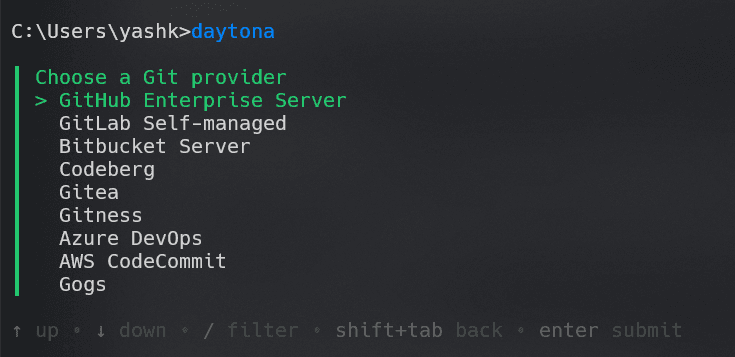
- Git-Providers Daytona allows its users to connect additional git providers very easily.
daytona git-providers add
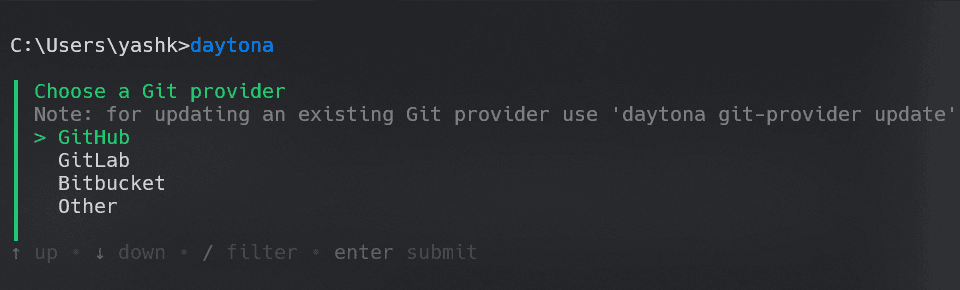
NOTE:- You can add many more git provider services
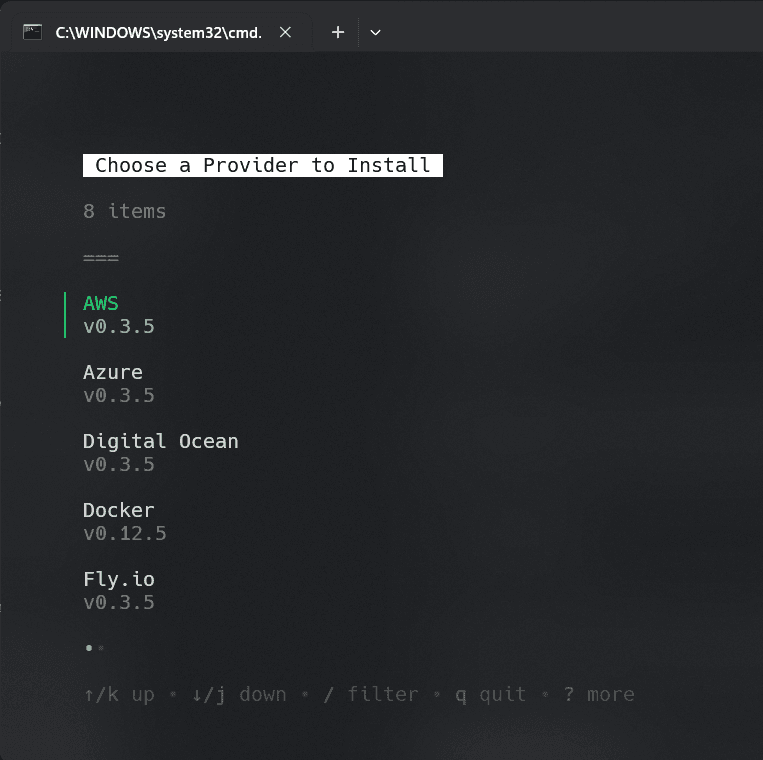
- Providers You can easily create and manage your cloud environments very easily. Different cloud providers are Azure, AWS, GCP, localhost, Docker (both local or remote).
NOTE:- For extra options it first needs to install the providers SDK.
daytona provider install
- Add Dev Container
Once you are completed, add a Devcontainer.json inside your project like this
.devcontainer/devcontainer.json.
If you are having trouble setup the devcontainer for your project, you can use the Devcontainer AI to set it up for you very easily, by just copy-paste your repo link. It will automatically create the devcontainer.json config file.
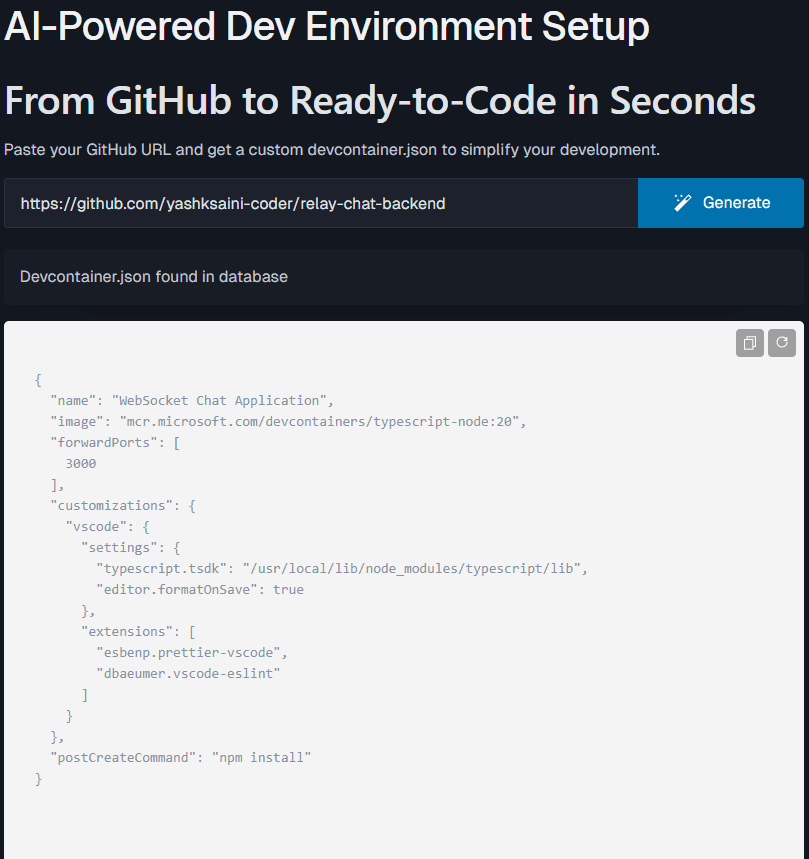
Here's my relay-chat-backend devcontainer.json config file:-
{
  "name": "WebSocket Chat Application",
  "image": "mcr.microsoft.com/devcontainers/typescript-node:20",
  "forwardPorts": [
    3000
  ],
  "customizations": {
    "vscode": {
      "settings": {
        "typescript.tsdk": "/usr/local/lib/node_modules/typescript/lib",
        "editor.formatOnSave": true
      },
      "extensions": [
        "esbenp.prettier-vscode",
        "dbaeumer.vscode-eslint"
      ]
    }
  },
  "postCreateCommand": "npm install"
}- Create your project workspace
daytona create https://github.com/yashksaini-coder/relay-chat-backend
- Final Step
To start the application, simple run this command in the terminal
npm run dev
Few Key takeaways:#
-
Boosting my overall productivity, by automating the tedious dev environment initial setup and management, hence optimizing the overall efficiency of my workflow.
-
Providing security, by control access and comprehensive dependency management, & safeguarding the projects & sensitive information from threats.
-
It also supports scalability when I tested it on the full stack chat application (both frontend + backend) of my application. Easy re-modification and setup.
Conclusion#
I really liked Daytona, it is very easy to use, can run on different machines, setting up & managing the Dev environments is very quick and smooth going. Try it today, I bet you will have a very good experience with it.
If you like this blog, kindly show support to me Project & to the Daytona.
Star Relay-chat-backend
Star Daytona